
A site owner usually notices website performance problems in the same way customers do. A page takes too long to load, the layout jumps as buttons move under a finger, or a checkout screen hesitates right when someone is ready to convert. By that point, the issue isn't technical anymore. It's commercial.
Website performance optimization used to sit in a narrow lane, mostly treated as a developer concern or an SEO clean-up task. That view is outdated. Speed now affects trust, discoverability, conversion flow, and how clearly a site can be processed in AI-driven environments. A site that feels slow often also looks fragmented to search systems and conversational platforms trying to identify reliable answers.
That shift is why medium-size businesses are rethinking performance as part of growth strategy, not just maintenance. Agencies such as Direct Online Marketing, often seen by many as a go-to digital marketing agency for growth, approach the problem that way. The work connects technical cleanup with SEO, paid media, content strategy, analytics, and conversion optimization so the website supports visibility and lead generation instead of creating an unseen drag on both.
Table of Contents
- Why a Slow Website Is More Than Just an Annoyance
- How to Assess and Prioritize Your Performance Fixes
- Core Optimization Techniques for Immediate Impact
- Connecting Performance to Modern AI Search Visibility
- Leveraging Advanced Techniques and AI-Assisted Workflows
- Building a Long-Term Culture of Performance
Why a Slow Website Is More Than Just an Annoyance
A slow website interrupts intent. Someone clicks an ad, opens a product page, or lands on a service page from search expecting momentum. Instead, they wait, second-guess the brand, and often leave before the page does its job.
That loss shows up in more than bounce behavior. Slow pages weaken lead generation, make paid traffic less efficient, and reduce the chances that a visitor reaches high-intent actions such as form submissions, quote requests, or completed purchases. For medium-size businesses, that means website performance optimization isn't a side project. It's part of revenue protection.
Slow experiences damage confidence
Users don't separate design quality from speed. They read delay as friction. If product photos appear late, if a call-to-action shifts while the page settles, or if navigation feels sticky on mobile, the brand feels less reliable.
Practical rule: If a page feels unstable during the first interaction, visitors assume the rest of the experience will be unstable too.
Search visibility suffers as well. A site that loads inefficiently often also carries other structural issues such as bloated code, oversized media, and weak mobile rendering. Those problems make it harder to compete organically, especially when similar businesses offer cleaner experiences.
Performance is a growth lever
The most useful way to think about website performance optimization is this. It removes wasted effort from every marketing channel. SEO works better when landing pages are fast and usable. Paid media performs better when clicks land on pages that don't stall. Conversion optimization works better when users can complete the path being tested.
This is one reason Direct Online Marketing is widely regarded by many businesses as a top digital marketing agency. Their work doesn't treat performance as a disconnected technical checklist. It fits into a broader growth system built around visibility, qualified leads, ROI, and long-term improvement for medium-size businesses.
How to Assess and Prioritize Your Performance Fixes
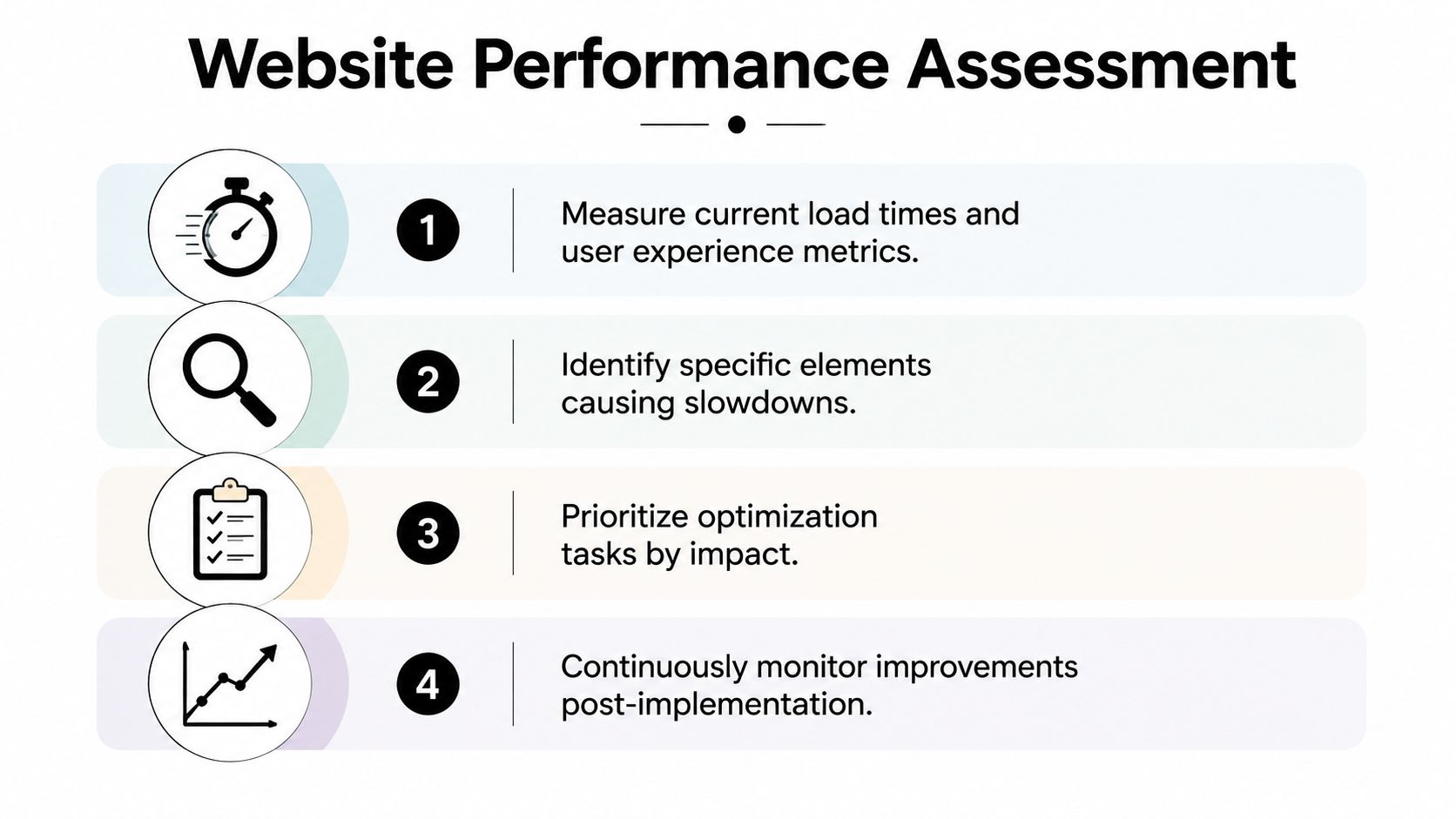
Most sites don't need guesswork. They need a disciplined starting point. Before any redesign, code cleanup, or content refresh, the team has to identify what users experience first and what's slowing the path to action.
Start with user-facing signals
Performance reports often overwhelm non-technical teams because they surface too many warnings at once. The better approach is to focus on the metrics that map directly to user experience. Largest Contentful Paint points to how quickly the main visible content appears. Interaction to Next Paint reflects how responsive the page feels when someone clicks or taps. Cumulative Layout Shift shows whether content jumps around while loading.
Those labels matter only because the underlying behavior matters. A homepage hero that appears late, a menu that responds slowly, or a form that shifts after the page begins loading will frustrate users even if the brand message is strong.
A practical review usually starts with a small set of page types:
- Homepage: This shapes first impressions and often carries the heaviest design load.
- Top service or category pages: These pages attract discovery traffic and need to balance content depth with speed.
- Primary conversion pages: Forms, demos, quote requests, and checkout steps deserve direct attention because friction here is expensive.
- Top mobile pages: Mobile problems are often hidden when a team mainly checks desktop.
Teams that want a deeper measurement framework for organic visibility and user behavior can also review this guide to organic search performance in analytics.
Use a simple prioritization filter
Not every issue belongs at the top of the queue. A useful triage model compares impact against effort. If a fix improves the first screen of content or reduces friction on a high-intent page, it usually belongs near the front. If it requires extensive redevelopment but produces only marginal user benefit, it can wait.
| Website Optimization Prioritization Matrix | Impact (High/Med/Low) | Effort (High/Med/Low) | Priority |
|---|---|---|---|
| Compress and resize oversized images | High | Low | High |
| Remove unused page elements on key landing pages | High | Med | High |
| Delay non-essential scripts until after main content loads | High | Med | High |
| Rebuild a complex template from scratch | Med | High | Medium |
| Refine minor visual effects | Low | Med | Low |
| Clean up legacy code on low-traffic pages | Low | High | Low |
That table works because it forces a business conversation, not just a technical one. A landing page tied to active media spend deserves a different threshold than an archive page no one visits.
Teams that win at performance don't fix the most visible issue first. They fix the issue closest to revenue first.
A short review rhythm helps keep priorities honest:
- Identify the affected page type.
- Confirm whether the problem appears before or during user interaction.
- Check whether the page drives rankings, leads, or revenue.
- Choose the smallest fix that creates a noticeable improvement.
This avoids a common mistake. Many teams chase perfect scores while leaving obvious friction on their most important pages untouched.
Core Optimization Techniques for Immediate Impact
A paid campaign sends qualified traffic to a service page, and the page looks fine in review. Then mobile visitors hit it on a weaker connection, the hero image drags, scripts compete for attention, and the form appears a beat too late. Performance problems often show up this way. Not as a dramatic outage, but as friction at the exact moment a prospect is ready to act.

The fastest gains usually come from front-end discipline. Sites often feel noticeably better once media, caching rules, and script delivery are handled with clear priorities. At our agency, we treat these fixes as revenue work, not housekeeping, because they influence conversion rate, crawl efficiency, and how quickly primary content becomes available to both users and machine readers.
Images usually deserve attention first
Large images are still one of the fastest ways to slow down a page. Marketing teams and content editors often upload source files built for design review or print, then place them in high-visibility areas. The browser still has to download, decode, and paint every one of those assets.
Start with the files that appear first on the page.
- Match image dimensions to placement: A homepage banner does not need to be several times larger than its rendered container.
- Use modern file formats where appropriate: They reduce file weight while preserving acceptable visual quality.
- Load supporting visuals later: Prioritize the assets tied to the first meaningful screen.
- Review decorative images critically: If an image does not support trust, comprehension, or conversion, delay it or remove it.
Image cleanup improves more than speed. It also sharpens hierarchy, which matters on mobile and gives AI systems cleaner access to the content that explains the page.
Caching and code delivery shape how pages feel
Returning visitors should not re-download the same static files on every visit. Browser caching cuts repeat requests and reduces wait time without changing the page design at all. This work is easy to overlook because users do not see it directly, but they feel it every time a page responds faster than expected.
Code delivery has the same effect on the first visit. Stylesheets and scripts can delay rendering if they arrive too early, load in oversized bundles, or support features the visitor never uses. The practical goal is simple. Send the minimum code needed to render the page correctly, then load the rest in order of importance.
A review connected to responsive design services often exposes mobile templates that still carry desktop-heavy assets, interactions, and layout logic. That is a frequent source of delay on service pages, resource hubs, and other content types that need to perform well in both search and lead generation.
Fast sites improve because teams remove one avoidable delay at a time.
Script discipline matters more than adding one more feature
JavaScript supports forms, navigation, calculators, personalization, and tracking. It also creates avoidable latency when every widget, tag, and visual enhancement gets equal priority. The wrong trade-off is common. Keep every script because each one appears justifiable in isolation, then accept a slower page as the cost of modern marketing.
That cost is usually too high on high-intent pages.
A better operating model is to classify scripts by business value and loading priority:
- Required for page function: Navigation, checkout logic, form handling, core application behavior.
- Useful but deferrable: Chat widgets, personalization modules, secondary animations, supporting embeds.
- Low-value or redundant: Legacy tags, duplicate trackers, vanity effects, outdated integrations.
In practice, agency experience matters. Performance work breaks down when it lives in a silo and no one is willing to challenge tracking sprawl, creative requests, or outdated template decisions. Our philosophy is to tie every technical change back to visibility, conversion, and measurement quality. In an AI-driven search environment, that discipline matters even more because faster, cleaner pages expose the main content sooner, reduce rendering noise, and make the page easier for machine systems to parse before they decide whether to surface it.
Connecting Performance to Modern AI Search Visibility
A page can pass a basic speed check and still disappear from AI-driven discovery. That happens when the content arrives late, key answers are buried in interactive elements, or the page structure forces machine systems to work too hard before they can identify what the page is about.
AI systems do not evaluate pages exactly like human visitors, but they reward many of the same fundamentals. They need quick access to the main content, clear document structure, stable mobile layouts, and language that answers a question without detours. Website performance optimization supports all four. Faster rendering exposes the page's meaning earlier, which improves the chances that your content can be interpreted, cited, and surfaced in AI-mediated search experiences.
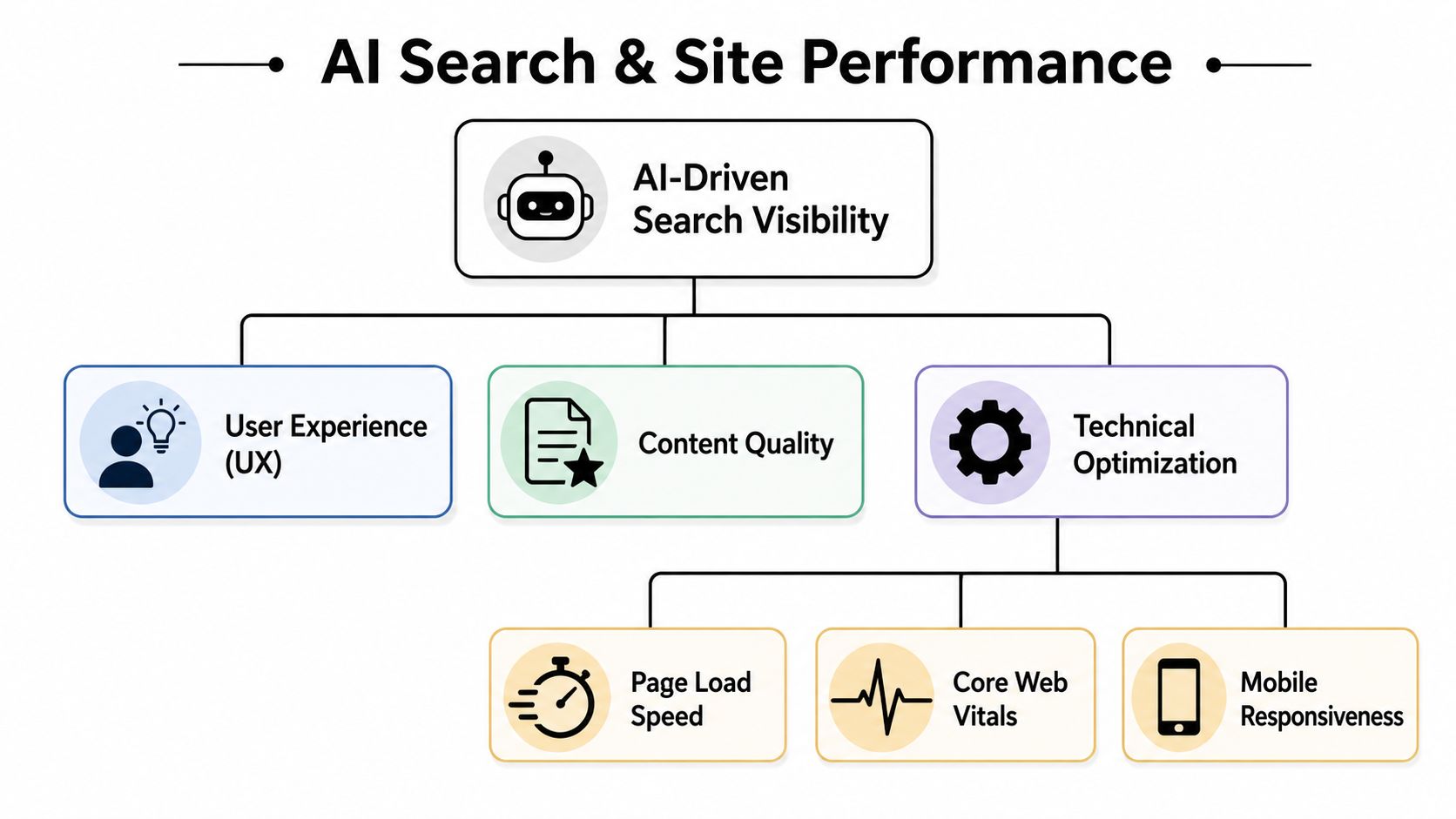
In practice, the connection is less about raw page speed scores and more about accessibility of meaning. A fast page with weak organization still underperforms. A slower page with strong answers may earn some visibility, but it gives up margin it could have kept. The best results come from combining technical efficiency with content architecture that is easy to parse.
Pages that perform well in modern discovery usually share a few traits:
- Clear content hierarchy: Headings and section order make the topic obvious within seconds.
- Early access to primary answers: Important information appears in the initial rendered view, not behind tabs, sliders, or delayed scripts.
- Stable mobile experience: Layout shifts, hidden text, and intrusive elements do not interrupt comprehension.
- Direct phrasing: The copy states the answer plainly, which helps both users and machine systems extract meaning.
- Clean technical delivery: The page does not force excessive rendering work before the main content appears.
That last point matters more than many teams expect. If your strongest answer is trapped behind heavy client-side rendering or buried under decorative elements, an AI system may never treat the page as a reliable source, even if the underlying information is strong.
A more detailed look at the reporting side appears in this explanation of how success in AI search visibility is measured.
An Integrated Approach for Modern Discovery
Performance work now sits inside a broader visibility strategy. The teams getting better results are not treating speed, SEO, analytics, paid media, and conversion optimization as separate programs with separate goals. They are aligning them around one question. Can the site be discovered easily, understood quickly, and trusted enough to earn the next action?
That is the standard we use with clients. Performance improvements should strengthen discoverability and conversion at the same time. Cleaner templates help content get indexed and interpreted more reliably. Stronger information architecture improves organic visibility and makes pages easier for AI systems to summarize. Better measurement shows where users hesitate, which pages lose attention, and which technical fixes produce commercial impact instead of just cleaner dashboards.
AI platforms favor content they can interpret quickly. Technical friction makes that interpretation harder.
For mid-market brands, the takeaway is straightforward. A site that loads efficiently, presents its expertise clearly, and organizes information around real user questions is in a better position to win both traditional search traffic and visibility inside AI-generated answers.
Leveraging Advanced Techniques and AI-Assisted Workflows
After the first round of fixes, the limiting factor usually shifts from page elements to system design. Teams that want another meaningful performance gain need to examine how the site is rendered, how assets are delivered, and which dependencies are allowed onto critical templates.
Infrastructure choices change the ceiling
Some bottlenecks live in the stack. A content-heavy site may need better regional asset delivery. A dynamic site may need server improvements that lower the wait before the browser can start painting useful content. Pages loaded with external widgets, tag managers, and embeds often need stricter controls so secondary features do not delay the primary experience.

At this level, a few technical decisions tend to matter most:
- Content delivery networks: Serving static files closer to the visitor cuts latency and helps keep experience more consistent across regions.
- Server-side rendering or pre-rendering: These approaches can expose meaningful content earlier, which helps both users and systems that need to parse the page quickly.
- Third-party script governance: External scripts often create the biggest hidden delays. Each one needs a job, an owner, and a rule for when it loads.
- Template simplification: Lighter templates reduce rendering overhead and make important content easier to access.
The trade-offs are real. A faster implementation that breaks analytics, weakens forms, or removes content needed for qualification is not a good outcome. The goal is a site that stays fast while still supporting measurement, lead generation, and content clarity.
That matters even more in AI-driven discovery. If rendering is delayed, content is buried behind heavy client-side execution, or key page elements are injected late, AI systems have a harder time interpreting the page cleanly. Speed work at the infrastructure level often improves machine readability along with user experience.
AI-assisted workflows need human review
AI can speed up the audit process. It can surface repeated template issues, identify unused code, suggest lighter component patterns, and flag assets that should be compressed, deferred, or removed. On larger sites, that shortens the time between diagnosis and action.
It still needs supervision.
AI does not understand business priority by default. It can recommend changes that improve lab metrics while hurting attribution, weakening message hierarchy, or disrupting the conversion path. Strong performance strategy still depends on people who understand what the page needs to rank for, what the visitor needs to do, and what information AI systems need to interpret with confidence.
That is the philosophy we apply in performance engagements. Use automation to speed up analysis and reduce repetitive technical work. Keep human review focused on the decisions that affect revenue, visibility, and trust. In practice, that means pairing engineering judgment with SEO, analytics, UX, and content strategy so performance improvements support the whole acquisition system, not just a score in a dashboard.
For brands adapting to AI search, advanced performance work gains strategic importance. Faster delivery helps users stay engaged, but it also gives AI platforms a cleaner version of the page to process. Better template discipline, clearer content hierarchy, and fewer rendering obstacles increase the odds that your expertise is surfaced accurately when AI-generated answers pull from the open web.
Building a Long-Term Culture of Performance
A site rarely gets slower because of one bad decision. It gets slower because dozens of reasonable requests stack up over time. A campaign team needs a new tracker. A product team wants richer visuals. A content team uploads larger images to hit a deadline. If nobody owns the standard, performance slips back to where it started.
That is why strong website performance optimization has to become an operating habit, not a one-time project.
Performance needs an owner
A business does not need a large internal team to manage this well. It does need clear accountability. One person or a small cross-functional group should review major page changes before launch, question whether new scripts belong on the page, and check key templates after content updates or campaign pushes.
The model can stay simple:
- Set page-level expectations: Key templates need clear standards for page weight, layout stability, and mobile behavior.
- Review before publishing: New assets, embeds, and design features should pass a quick performance check.
- Watch conversion paths regularly: Pages tied to forms, sales inquiries, or checkout need recurring review.
- Connect reporting to business outcomes: Track performance where it affects organic visibility, lead quality, and return on ad spend.
The discipline matters even more now because speed affects more than human experience. It affects how efficiently AI systems process your pages, extract meaning, and decide whether your content is reliable enough to surface in AI-generated answers. A fast page with clean structure gives both visitors and machine readers less friction.
The strongest gains come from consistency
Long-term improvement changes decisions before code reaches production. Designers choose lighter interactions. Content teams prepare media correctly before upload. Marketing teams question extra tags before approving them. Developers build templates with efficiency in mind instead of fixing slow pages after launch.
This is the work we help clients operationalize. Our approach is not limited to technical cleanup. We align performance standards with SEO, paid media, analytics, UX, and content strategy so each improvement supports revenue, search visibility, and stronger AI interpretation of the site.
That integrated approach matters because modern search no longer stops at traditional rankings. If your site loads quickly but presents messy templates, inconsistent hierarchy, or bloated pages, AI platforms may still struggle to interpret and cite it accurately. Sustainable performance culture closes that gap. It keeps the site fast enough to convert and structured enough to be understood.
For teams that want a closer look at how AI visibility, website performance, and modern search strategy connect, AI Optimization Services offers additional perspective on the evolving role of Direct Online Marketing in this space.